


How to Choose the Right Inkjet Cartridges for HP Printer Models
source: Time:2026-10-22 views:15
How to Choose the Right Inkjet Cartridges for Your HP Printer
Finding the right cartridge shouldn't feel like a scavenger hunt. Match your printer model, pick the capacity that fits how you actually print, and order ink that installs without drama. That's the whole game. This guide walks you through it — from reading the cartridge number to deciding whether high-yield is worth it.
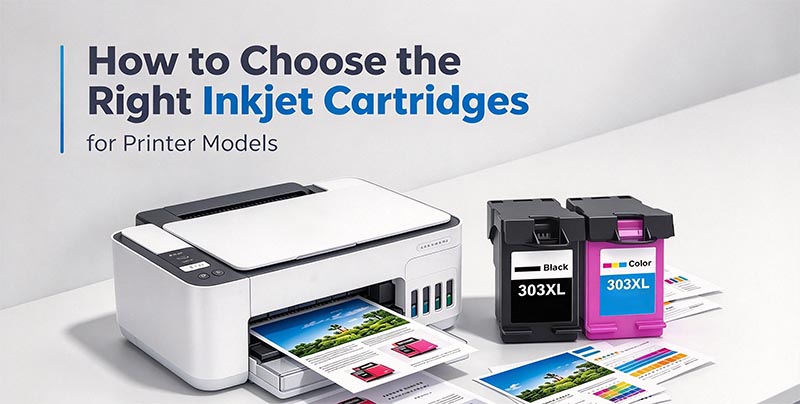
Start with your printer model, not the brand
Here's the mistake almost everyone makes at least once: buying by brand alone. "HP compatible" means nothing unless the listing confirms your exact model or cartridge number. HP uses different cartridge series across its lineup, and two printers that look similar on the shelf can take completely different ink.The fastest way to confirm? Read the number on the cartridge you're replacing. If it's already in the trash, look inside the printer's access door, or check the model number on the front or back of the machine. Once you have that, you can choose standard or high-yield based on how often you print.
Before you add anything to your cart, run through this quick check:
Printer family — DeskJet, ENVY, OfficeJet, OfficeJet Pro, or another HP inkjet line
Exact model number — small differences matter more than you'd think
Cartridge number — usually printed on the cartridge label and packaging
Color requirement — black, tri-color, individual cyan/magenta/yellow, or a multi-pack
Yield preference — standard for occasional printing, high yield for frequent use
Printer type — inkjet cartridges are not laser toner, and they don't swap
That last one trips people up. If you own both an inkjet and a laser printer, keep the supplies separate. They're not interchangeable, and no adapter fixes that.
A good cartridge produces readable text, consistent color, and reliable page output without turning a routine print job into a troubleshooting session. Whether you're printing a shipping label, a client handout, a homework packet, or a family photo, compatibility is the first step toward a result you're happy with.
Choose black cartridges when your printing is mostly forms, letters, invoices, worksheets, and drafts. Go color for presentations, images, flyers, charts, and creative projects. If your printer uses separate color cartridges, replacing only the empty one is more practical — and cheaper. Tri-color models use a single cartridge for all three colors, so you replace the whole set at once.
Standard yield vs. high yield: pick by habit, not by price tag
Not everyone needs the same amount of ink. A household printing a few forms a month has different needs from a small office running daily paperwork. Choosing the right capacity helps you manage cost, convenience, and how often you're swapping cartridges.Standard-yield cartridges suit occasional printing: forms, coupons, travel documents, homework, personal paperwork. If your printer sits unused for weeks at a time, standard capacity means you're not paying for ink that dries out before you get to it.
High-yield cartridges are for people who print often and want fewer interruptions. Home offices, busy households, classrooms, small businesses producing recurring documents. When high-yield is available for your model, it usually means better convenience over time — you keep fewer backup cartridges on hand and make fewer emergency orders.
Single cartridges and multi-packs — buy a single when only one color is low. A multi-pack makes sense before a busy stretch: school term, tax season, event prep, a big work project. If the printer warns that multiple colors are low at once, a combo pack cuts down on repeat ordering and speeds up the next replacement.
Specs that actually matter before checkout
Compatibility is the only non-negotiable. If the listing doesn't clearly confirm your printer model or cartridge number, don't assume it'll work. Check these before you pay:
Printer model — exact number, not just the family name
Cartridge series — the number on your current cartridge is the key reference
Ink color — black, tri-color, or individual colors
Yield — standard or high yield, where available
Pack type — single, combo, or multi-pack
Printer technology — inkjet only; laser toner won't fit
This matters especially if you own more than one HP printer. Two machines in the same home or office can take different cartridges, and there's no safe way to guess.
Price and value: look past the sticker
Prices vary by cartridge series, color, yield, pack size, and availability. Standard cartridges appeal to light users because the upfront cost is straightforward. High-yield cartridges may cost more today but are built for more pages before replacement — better value if you print frequently.But the cheapest cartridge that doesn't fit your printer has zero value. A multi-pack is convenient if you tend to replace black and color around the same time. And for business users, keeping one spare on the shelf can be worth it when a missed print job means a delayed shipment, invoice, or client email.
The best value is the cartridge that fits your printer, matches your print volume, and arrives before you urgently need it.
Home, school, office — the needs shift
At home, you need reliable ink for recipes, tickets, coloring pages, forms, and the occasional photo. For school, it's essays, worksheets, study guides, visual projects, and parent paperwork. In an office, ink keeps the day moving through reports, proposals, letters, invoices, meeting notes, and mailing labels.
The right inkjet cartridges for HP printer models support all of these without making you sort through irrelevant toner products or unrelated brands. By narrowing the choice to HP inkjet compatibility, the buying process gets faster and clearer. You still choose the cartridge number, color, and yield — you just start in the right place.
A quick buying routine
Ordering the right ink takes about a minute if you follow a simple process. It also prevents returns and delayed print jobs.
Find your printer model number on the printer body, display menu, or a previous order.
Check the cartridge number on the installed cartridge or in the printer documentation.
Decide between black, color, or a multi-pack based on the low-ink message and what's coming up.
Choose standard or high yield depending on how often you print.
Confirm compatibility in the product listing before purchasing.
If you rely on your printer for work, school, or shipping, order before the cartridge runs empty.
Grab the cartridge number from your HP printer, pick the pack that fits your printing habits, and order compatible inkjet cartridges with confidence. The right cartridge is the one that fits your model, matches your volume, and shows up before you're stuck printing nothing.


