


how to choose copier toner powder
source: Time:2026-09-10 views:62
How to choose copier toner powder
Choosing the right copier toner powder protects print quality, equipment reliability, and your supply budget. The goal is not simply to buy the cheapest toner refill, but to match the powder to your copier model, cartridge design, print volume, and quality expectations. This guide explains how to choose copier toner powder with practical steps you can use before ordering copier toner, toner cartridges, or other printing supplies.
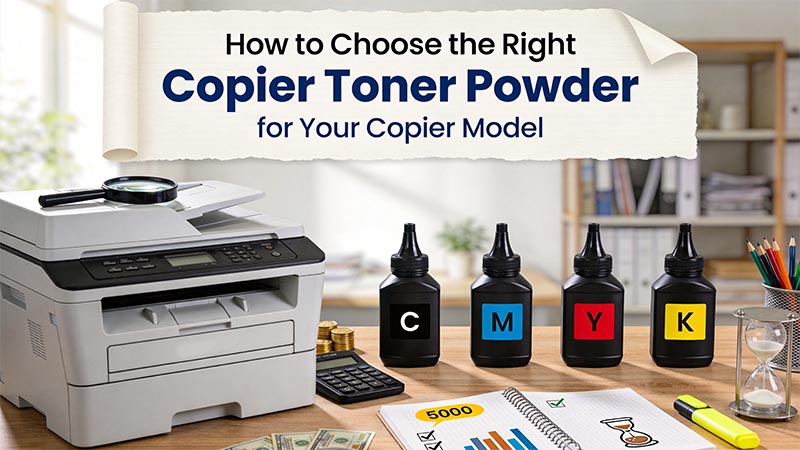
What should you know before choosing toner powder?
Toner powder is not universal. It is engineered to work with a specific printing system, which includes the copier’s fuser temperature, drum, developer unit, cartridge structure, and print speed. If the powder melts at the wrong temperature, carries the wrong charge, or has the wrong particle behavior, you may see pale prints, background haze, toner leakage, paper jams, or premature wear inside the copier.Before you compare products, identify whether you need toner powder for refilling an existing cartridge, a full replacement cartridge, or maintenance of a copier that uses a separate toner bottle. These are different buying decisions. A toner refill may save money, but it also requires clean handling, the correct powder type, and a cartridge that is safe to refill.
Follow these steps to choose the right copier toner
Identify your copier model exactlyStart with the full copier brand and model number, not just the product family. A small difference in model code can mean a different toner formulation or cartridge shape. Check the label on the front panel, inside the toner access door, or in the copier’s settings menu.
Write down the model number before shopping for toner powder. If you are replacing toner cartridges, also note the cartridge part number printed on the cartridge body or packaging. For copier toner bottles, check the bottle code and whether the machine uses black-only or multiple colors.
This step matters because compatible-looking supplies are not always chemically compatible. Two cartridges may appear similar, yet use different toner powder with different melting points or electrostatic properties.
Check whether your copier uses powder, cartridges, or bottles
Some office copiers use sealed toner cartridges. Others use toner bottles that feed powder into a separate imaging system. Smaller laser printers often use cartridges that combine toner, drum, and other components in one unit.
If your copier uses sealed cartridges, decide whether you want a replacement cartridge or a toner refill. Refilling can be practical when the cartridge is designed for reuse and still has healthy internal parts. However, if the drum, wiper blade, or seals are worn, fresh powder will not fix streaks, smears, or leaks.
If your copier uses toner bottles, avoid pouring loose toner powder from an unlabeled container unless it is clearly specified for that machine. Bottle-fed copiers often depend on precise powder flow and metering, so the wrong refill can cause messy and expensive problems.
Match the toner powder to the copier technology
Copier toner is commonly designed for laser or LED printing systems, but powders still vary widely. The copier’s fusing system heats toner so it bonds to paper. If the powder is not made for that fuser temperature and print engine, the image may rub off, look glossy in patches, or create buildup inside the machine.Pay attention to product descriptions that list compatible copier models. A useful listing should connect the toner powder to specific machines or toner cartridges, not simply claim that it works with “most copiers.” Broad claims are a warning sign when buying printing supplies.
Also note whether the copier uses monochrome or color toner. Black toner powder for a monochrome copier is not the same decision as cyan, magenta, yellow, and black toner for a color machine. Color toner must balance image density, hue, and fusing behavior across all four colors.
Decide between OEM, compatible, remanufactured, and refill options
You will usually see several supply types when shopping for printer toner. Each can be valid, but the best choice depends on your priorities.
Consider these common options:
OEM toner cartridges: Made by the copier manufacturer. They are typically the simplest choice when reliability and warranty alignment matter most.
Compatible toner cartridges: New third-party cartridges made to fit selected machines. Quality depends heavily on the supplier.
Remanufactured cartridges: Used cartridges that have been cleaned, repaired, refilled, and tested. They can reduce waste when properly rebuilt.
Toner refill powder: Loose toner powder used to refill an existing cartridge or bottle. It can be economical, but it requires careful matching and handling.
If your office prints critical client documents, legal files, invoices, or branded materials, reliability may be worth more than small savings. If you print internal drafts in high volume, a proven compatible or refill option may make sense after testing.
Review print quality requirements
Think about what the copier must produce every day. Basic black text has different requirements than marketing handouts, forms with fine lines, barcodes, shaded graphics, or full-color presentations.For text-heavy documents, look for toner powder that produces crisp edges and solid black density. For graphics, consistency matters more: smooth fills, minimal banding, and stable coverage across the page. For forms or barcodes, poor toner can create fuzzy edges that reduce readability or scanning accuracy.
If your copier is shared by several departments, choose copier toner based on the most demanding common use, not the easiest one. A powder that is acceptable for rough drafts may not be suitable for customer-facing documents.
Compare yield and real usage, not just package size
Toner powder may be sold by weight, while toner cartridges are usually sold with an estimated page yield. Do not assume a heavier bottle or bag will always produce better value. Yield depends on toner formulation, coverage level, cartridge efficiency, and how the copier meters powder.
Use your typical printing habits as a guide. Offices that print dense reports, graphics, labels, or dark backgrounds will use more toner than offices that print standard text pages. If you often print at high coverage, choose supplies from a seller that clearly explains compatibility and expected use, rather than relying only on low price.
A practical way to compare value is to track how many pages you print from each supply purchase. Over time, this gives you a realistic cost-per-page view for your own copier, paper, and document types.
Inspect supplier information before buying
A trustworthy supplier should make it easy to confirm fit, handling instructions, return conditions, and product type. Be cautious with listings that have vague compatibility claims, missing model numbers, poor packaging details, or no support path if the toner causes problems.
Look for clear answers to these points:
Which copier models or toner cartridges the toner powder supports
Whether the product is OEM, compatible, remanufactured, or refill powder
Whether the powder is intended for black-only or color use
How the product should be stored before use
What to do if print quality is poor after installation
Whether unopened supplies can be returned if ordered incorrectly
For businesses, consistent availability is also important. Switching toner sources repeatedly can create uneven print results, especially if different powders are used in the same cartridge family.
Check the cartridge condition before refilling
If you plan to use a toner refill, inspect the cartridge before opening any powder. A refill works best when the cartridge shell, seals, gears, drum, and waste system are still in good condition. Refilling a damaged or exhausted cartridge can waste toner and create leaks inside the copier.
Do not refill a cartridge simply because it is empty. Look for scratches on the drum, cracked plastic, loose end caps, worn rollers, or toner spilling from seams. If prints were already streaky, gray, or spotted before the cartridge ran empty, the problem may be mechanical rather than a lack of toner powder.
When in doubt, use a replacement toner cartridge instead of loose powder. A clean, properly assembled cartridge is often safer for shared office copiers than a risky refill.
Handle toner powder safely and neatly
Toner powder is very fine and can spread quickly if spilled. Work slowly, keep the container upright, and avoid refilling near fans, open windows, food, or sensitive electronics. Use disposable gloves and follow the refill instructions provided with the product.
Never use a regular household vacuum to clean spilled toner. Fine toner can pass through unsuitable filters and spread dust into the air, and some vacuums are not designed for fine powder cleanup. Use the cleanup method recommended for your workplace or copier maintenance process.
After refilling, seal the cartridge carefully and gently rotate it only if the instructions call for it. Over-shaking can cause leaks, while under-seating caps or plugs can allow toner to escape inside the copier.
Test the toner before returning to full-volume printing
After installing new copier toner or a refilled cartridge, run a small test batch before printing a long job. Start with a few plain text pages, then test a page with graphics, shaded areas, and any document type you commonly use.
Review the output for sharp text, even density, clean margins, and proper fusing. Rub a printed area lightly after it cools; if toner smears or flakes, stop using the supply and check compatibility, installation, and fuser condition. Also listen for unusual cartridge noises, which may indicate poor seating or internal cartridge wear.
Testing prevents a small toner mistake from becoming a large paper waste or service issue. It also helps you document which printing supplies work reliably for your copier.
Use this checklist before you order
A simple checklist can prevent most toner buying mistakes. Save the copier model, cartridge number, and supplier details somewhere your team can access them, especially if multiple people order office supplies.Before purchasing toner powder or cartridges, confirm that you have:
The exact copier model number
The correct cartridge, bottle, or toner code
A clear match between the toner product and your machine
The correct color or black toner type
A decision between OEM, compatible, remanufactured, or refill
An understanding of whether the cartridge can be safely refilled
Basic handling supplies, such as gloves and a clean work surface
A plan to test print before large jobs
Supplier support details in case the product is incorrect or defective
This checklist is especially useful for small offices where one person manages printing supplies alongside many other tasks. A few minutes of confirmation can save hours of cleanup, reprinting, or troubleshooting.
How do you know if toner powder is compatible?
Compatible toner powder should be explicitly listed for your copier model, cartridge number, or toner bottle system. The product should not rely on vague claims like “universal laser toner” unless your copier documentation specifically allows that type of supply. When compatibility is unclear, ask the supplier before ordering and provide your exact copier model and cartridge code.You can also judge compatibility by the first prints after installation. Correct copier toner should feed smoothly, fuse cleanly, and produce stable output without excessive background shading or loose residue. If the copier begins showing toner-related errors, repeated jams, unusual noise, or messy output soon after installation, stop printing and investigate before the issue spreads.
Remember that compatibility is both physical and chemical. A cartridge may fit into the copier but still contain toner powder that does not perform correctly in that print engine. That is why model-specific matching is more reliable than judging by container shape alone.
Avoid common toner buying mistakes
Many toner problems begin before the supply is installed. The wrong purchase may look like a bargain until it causes wasted paper, dirty prints, or service downtime. Avoid rushing the decision when the copier is already low on toner.
Common mistakes include:
Buying toner powder based only on price
Assuming all black toner is the same
Refilling a cartridge with worn internal parts
Mixing powders from different sources in one cartridge
Ignoring the cartridge part number
Ordering color toner without confirming the exact color position
Choosing a seller that does not list compatible models
Skipping a test print before a large job
Another mistake is treating copier toner and small printer toner as interchangeable. Even when both use laser technology, the machines may operate at different speeds and temperatures. Choose supplies for the specific copier, not just for the general printing category.
Store copier toner correctly
Good storage helps preserve print quality before the toner is used. Keep toner cartridges and powder containers sealed until needed, and store them in a dry, stable environment away from direct sunlight, moisture, and extreme heat. Avoid leaving toner in vehicles, near heaters, or in areas where packaging can be crushed.
Store cartridges in their intended orientation when possible. Rough handling can shift powder inside the cartridge or damage seals before installation. If your office keeps backup printing supplies, rotate stock so older supplies are used first, while still respecting any manufacturer or supplier guidance printed on the package.
For loose toner powder, keep the cap tightly closed and the label visible. Never transfer powder into an unmarked container. Clear labeling prevents accidental mixing and helps the next person understand exactly which copier toner the container matches.
Troubleshoot poor results after installation
If print quality drops after changing toner, do not immediately assume the copier is failing. Start with the supply you just installed. Remove and reseat the toner cartridge or bottle according to the copier instructions, then run another test page.
If the page is too light, the toner may not be feeding correctly, the cartridge may not be seated, or the powder may not match the copier. If there are streaks, the drum, blade, or roller may be worn, especially in a refilled cartridge. If toner rubs off the page, the issue may involve toner compatibility, paper type, or the fuser.
When troubleshooting, change only one variable at a time. Try known-good paper, then a known-good cartridge if available. This prevents confusion and helps you decide whether the problem is toner powder, cartridge hardware, paper, or the copier itself.
Make the final choice with reliability in mind
The best toner choice is the one that gives your copier clean output, predictable performance, and manageable cost. For many users, that means buying model-specific toner cartridges from a dependable source. For others, a carefully matched toner refill can work well when the cartridge is refillable and the person handling it follows proper steps.Use price as one factor, not the only factor. Reliable printer toner reduces reprints, service calls, cleanup, and frustration for everyone who depends on the copier. When you match the powder to the machine, inspect the cartridge, handle refills carefully, and test before high-volume printing, you can choose copier toner powder with much more confidence.


