


How to Choose Sharp Toner Cartridges
How to Choose Sharp Toner Cartridges
Running a busy office means relying heavily on your equipment. When the "low toner" light flashes on your Sharp multi-function printer, it is easy to panic and buy the first replacement you see. However, selecting the right sharp copier toner cartridge requires a little bit of know-how to ensure your documents look crisp and your machine stays healthy.
Whether you are buying a single toner cartridge or stocking up for the entire year, understanding the nuances of your machine's requirements is crucial. This guide will help you navigate the process of choosing, installing, and maintaining your office supplies like a pro.
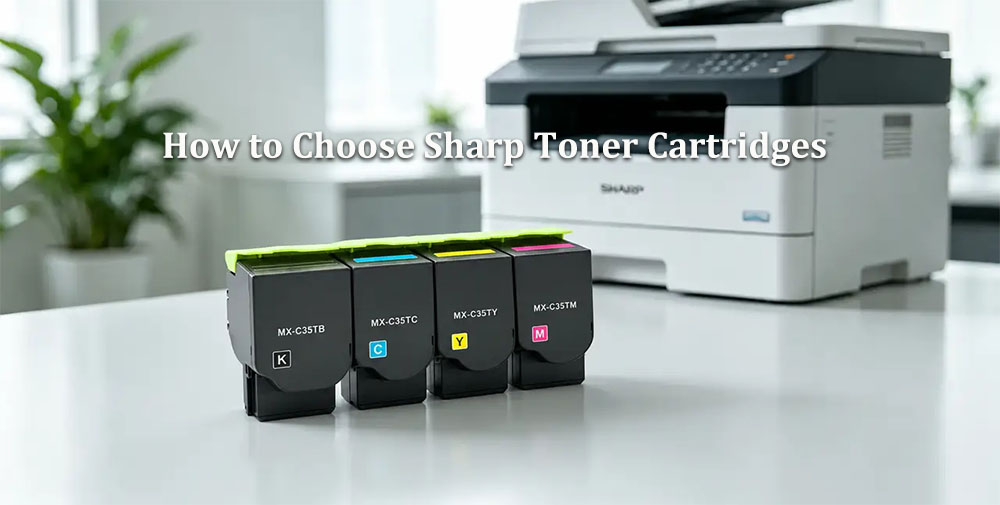
Knowing Your Machine: Finding the Right Fit
Before you purchase a sharp toner cartridge, you must ensure it matches your specific device. Installing the wrong supply can lead to frustrating error codes, paper jams, or even permanent damage to your machine's internal components.
If you are unsure where to find copier model information, start by looking at the front control panel of your machine. You can also find the exact model number on the original purchase invoice or on the manufacturer's silver sticker located on the back or inside the front door of the device.
To make the purchasing process completely foolproof, it is highly recommended to consult a Sharp MX series supplies compatibility guide. Because the popular MX series covers a vast array of devices—ranging from compact desktop units to heavy-duty, high-volume workgroup copiers—a compatibility guide ensures you buy the exact part number required for flawless, uninterrupted operation.
Yield Options: High Capacity or Standard?
When browsing for replacements, you will frequently encounter a choice between high capacity vs standard yield cartridges. Understanding your office's print volume is the key to making the right financial decision here:
-
Standard Yield Cartridges: These are ideal for small offices with lower print volumes. They cost less upfront but will require more frequent replacements.
-
High Capacity Cartridges: These are built for busy, high-traffic environments. Though slightly more expensive initially, they contain significantly more powder, which drastically lowers your overall cost per page.
Regardless of which size you ultimately choose, maximizing page yield for office copiers comes down to establishing smart printing habits. Encourage your team to use draft mode for internal documents, default to black-and-white printing when full color isn't strictly necessary, and ensure your machine receives regular professional maintenance.
Quality Matters: OEM vs. Aftermarket
When shopping for copier toner, you will inevitably face the debate of genuine vs compatible Sharp toner kits. Compatible (or third-party) kits might tempt you with a highly discounted upfront price. However, they often come with hidden costs, such as leaky cartridges or inferior powder formulations that do not melt at the correct temperatures.
On the other hand, understanding the benefits of authentic Sharp OEM supplies can save you considerable money and headaches in the long run. Authentic OEM (Original Equipment Manufacturer) cartridges are engineered specifically to match the exact specifications of Sharp machines. They deliver consistent, vibrant color accuracy, protect your printer's sensitive internal components, and guarantee that your machine's warranty remains intact.
The Anatomy of Your Copier: It’s Not Just Toner
Sometimes, poor print quality isn't just about the ink powder. To truly manage your office equipment, you must understand the difference between toner and developer units. The toner is the actual colored plastic powder that melts onto the paper to form your image. The developer, however, is a magnetic carrier that transports this powder from the hopper to the drum. Both components work seamlessly together but wear out at different intervals and require separate replacements.
Additionally, office managers must not overlook waste toner collection bottle maintenance. As your copier churns out pages, it produces a small amount of leftover, unused powder that is safely funneled into a dedicated waste bottle. When this bottle becomes full, your machine will automatically halt all printing until the container is safely emptied or replaced. Keep a spare waste bottle on hand to prevent unexpected downtime.
Best Practices: Storage and Installation
Stocking up on supplies is a great strategy to prevent workflow interruptions, but proper handling is vital. Follow these basic storage tips for unopened laser toner:
-
Keep cartridges laying flat in their original, sealed packaging.
-
Store them in a dark cabinet away from direct sunlight.
-
Ensure the storage room is climate-controlled, as extreme heat or humidity can cause the sensitive powder to clump together, rendering the cartridge useless.
When your machine finally alerts you that it is time for a change, follow a safe, step-by-step Sharp copier toner replacement process:
-
Open the front cover of the copier.
-
Gently pull out the empty cartridge, keeping it level to avoid spilling any residual powder.
-
Take the new cartridge and shake it gently side-to-side five or six times to distribute the powder evenly.
-
Slide the new cartridge firmly into the correct color slot until it clicks securely into place.
-
Close the front cover and wait a few moments for the machine to calibrate.
Occasionally, the machine might not immediately recognize the new supply. If this happens, you may need to research how to reset Sharp toner chip counter for your specific copier model. Usually, removing the cartridge, wiping the smart chip with a dry cloth, and reseating it will instantly solve the issue.
Diagnosing Common Print Quality Issues
Even with a fresh, authentic cartridge installed, you might occasionally run into printing hiccups. If you are troubleshooting light or faded print quality, first verify your print density settings in the copier's menu. If the settings are correct, simply take the cartridge out and give it a gentle shake to redistribute any settled powder.
If you are dealing with a messier issue and are fixing toner smudges and streaks, the culprit might be a dirty corona wire or debris inside the machine. In fact, it is incredibly important to learn how to identify a failing drum unit vs low toner symptoms. Low toner usually presents as evenly faded pages or light streaks down the center of the paper. A failing or scratched drum unit, however, will leave repeating black spots down the margin, distinct vertical lines, or cause entire sections of text to be completely missing from the page.
Eco-Friendly Disposal
Finally, once your cartridge is fully depleted, do not simply throw it into the office trash bin. Take advantage of recycling programs for empty toner containers. Sharp, along with many major office supply retailers, offers excellent, free, zero-waste-to-landfill recycling initiatives. By utilizing these easy-to-use mail-back programs, you actively help reduce plastic waste, keep harmful chemicals out of the environment, and promote a greener, more sustainable workspace.
Conclusion
Choosing the right supplies for your Sharp copier goes far beyond just grabbing the cheapest option available online. By taking the time to understand your machine's exact compatibility, investing in high-quality OEM parts, and recognizing when to replace various internal components, you can keep your office running at peak efficiency. Keep these actionable tips in mind, and your team will enjoy crisp, professional, and flawless documents for years to come.


